 Master
Publish
Publish your app
Put your app online with one click.
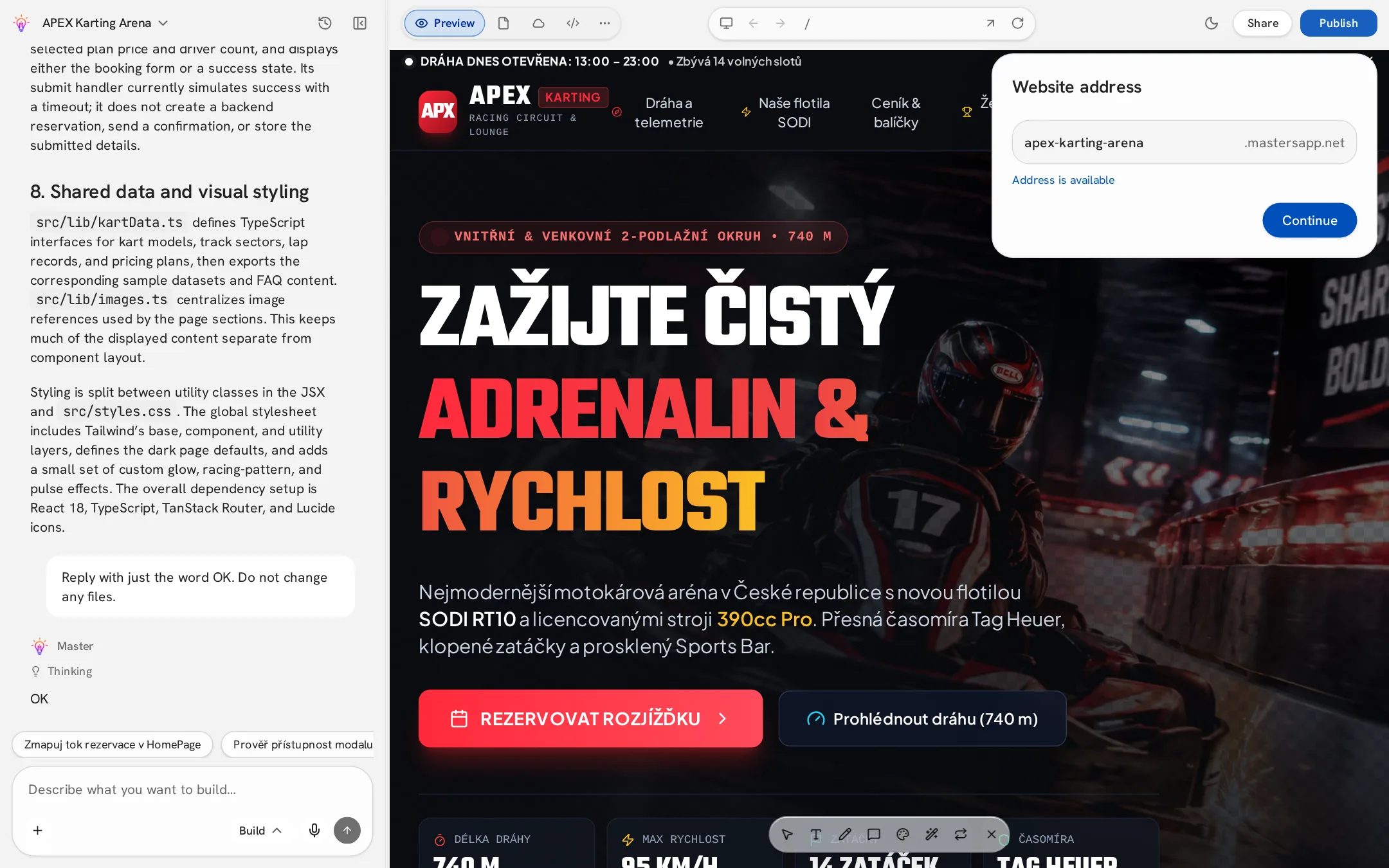
- 1Click Publish in the top bar.
- 2Choose your website address (e.g. my-shop.masterapp.net). Master checks that it's available.
- 3Select who can see it — public, or workspace only on Business.
- 4Click Continue. Your app is live in a few seconds.
Updating a published app
Changes you make in the editor do not appear online automatically. Click Publish → Update whenever you want to ship the latest version. Every publish creates a fixed deployment, so earlier releases stay unchanged.
Visibility and badge
- Public — anyone with the link.
- Workspace only — members of your workspace (Business).
- Pro and higher can hide the Made with Master badge in project settings.